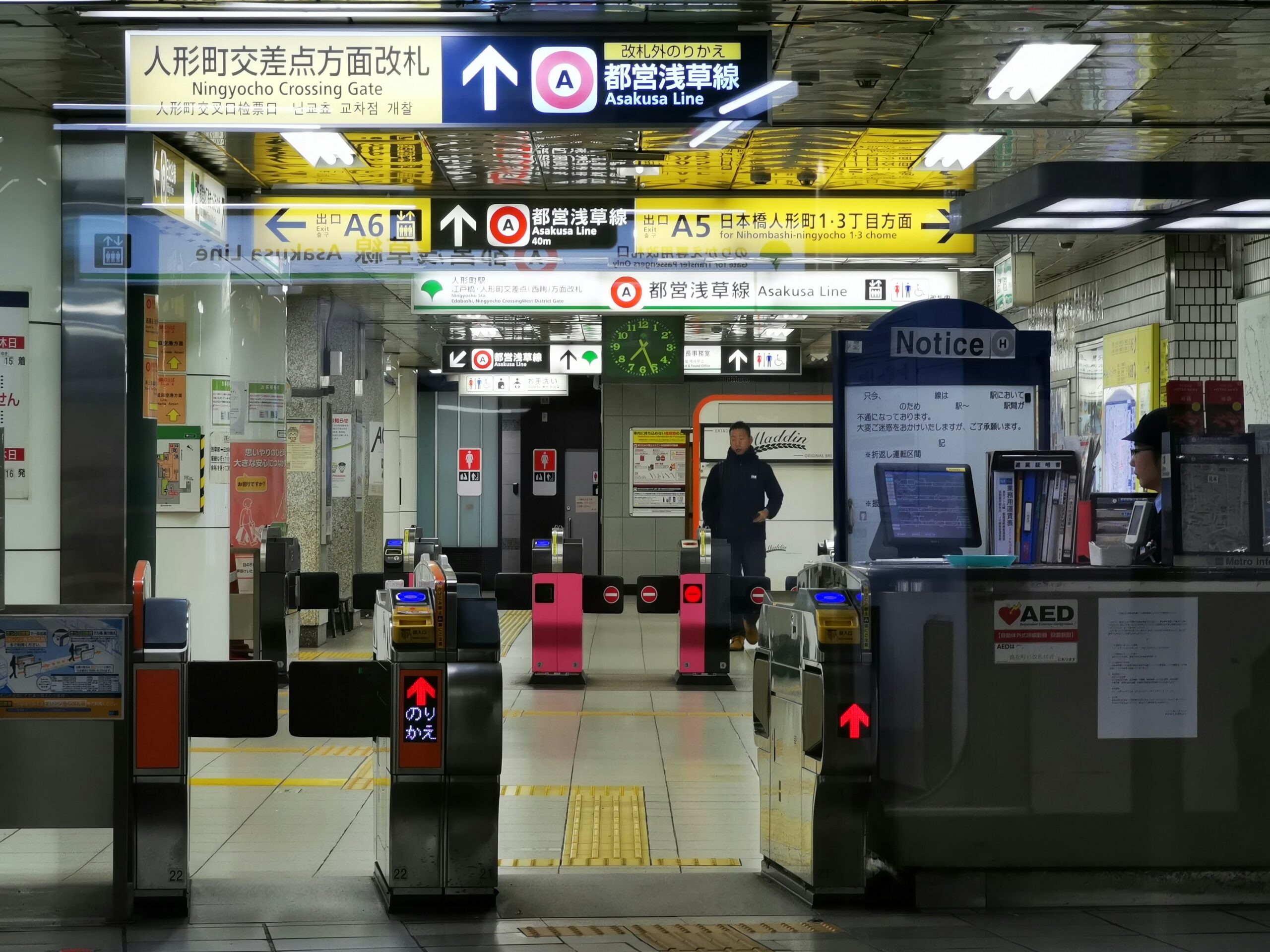
How to Use IC Card in Japan (Suica & Pasmo Guide)

Transportation

Planning a trip to Japan? One of the first (and smartest) things you should do is get an IC card. It’ll save you time, money, and the headache of buying individual train tickets every single day.

In this complete guide, you’ll learn everything you need to know about Suica and Pasmo — Japan’s two most popular IC cards — including where to buy them, how to charge them, and where you can use them.

📋 In This Guide


🚇 What Is an IC Card?

An IC card (short for Integrated Circuit card) is a rechargeable prepaid smart card used throughout Japan. Think of it as a stored-value card you tap to pay — no fumbling with cash or tickets needed.

You can use it on virtually all public transportation in Japan, and even pay for everyday purchases at convenience stores, vending machines, and more.

Where Can You Use an IC Card?

  • 🚆 Trains & subways — JR lines, Tokyo Metro, Toei Subway, and most regional trains
  • 🚌 Buses — City buses across Japan
  • 🏪 Convenience stores — 7-Eleven, FamilyMart, Lawson, NewDays
  • 🥤 Vending machines — Look for the IC card logo
  • 🍜 Restaurants & cafes — Many chain restaurants accept IC cards
  • 🛍️ Shopping — Department stores, kiosks, and selected retail stores

🃏 Suica vs Pasmo: Which Should You Get?

The short answer? It doesn’t matter — both work the same way. Suica and Pasmo are accepted on the exact same trains, buses, and shops throughout Japan.

Suica 🟢Pasmo 🔵
Issued byJR EastTokyo Metro / private railways
Where to buyJR station ticket machinesTokyo Metro & private railway machines
Works onAll trains, buses & shopsAll trains, buses & shops
Apple Pay support✅ Yes✅ Yes
Deposit¥500¥500

💡 Our recommendation: Get a Suica if you’re arriving at Narita or Haneda Airport, as JR machines are easier to find. Both are equally great for daily use.


🏪 Where to Buy an IC Card

You can pick up an IC card as soon as you land in Japan. Here are the best places to buy one:

  • JR station ticket machines (most common, available in English)
  • Tokyo Metro station ticket machines
  • Narita & Haneda Airport — JR East Travel Service Center
  • Some convenience stores (limited availability)

Step-by-Step: How to Buy at a Ticket Machine

  1. Find a ticket machine at any JR or Metro station
  2. Select “IC Card” (or look for the Suica/Pasmo logo)
  3. Select “New Card”
  4. Choose your initial charge amount (minimum ¥1,000)
  5. Insert cash or pay by card
  6. Take your new IC card! 🎉

💡 Note: ¥500 of your initial payment is a refundable deposit. When you return your card at a JR station before leaving Japan, you’ll get that ¥500 back (minus a small processing fee if you have remaining balance).


💴 How to Charge Your IC Card

Running low on balance? No problem — topping up your IC card takes less than a minute.

Option 1: At a Ticket Machine (Easiest)

  1. Insert your IC card into the machine
  2. Select “Charge” (チャージ)
  3. Choose the amount: ¥1,000 / ¥2,000 / ¥3,000 / ¥5,000 / ¥10,000
  4. Insert cash
  5. Take your card — done!

Option 2: At a Convenience Store

At any 7-Eleven, FamilyMart, or Lawson, simply tell the cashier you’d like to charge your IC card, hand it over, and pay the amount in cash.

Option 3: Via iPhone or Apple Watch

If you’ve added your IC card to Apple Wallet, you can charge directly from your iPhone without visiting a machine. See the section below for details.

⚠️ Important: The maximum balance on an IC card is ¥20,000. The minimum top-up amount is ¥1,000.


🚃 How to Use Your IC Card

On Trains & Subways

  1. Walk up to the ticket gate
  2. Hold your IC card over the card reader (the yellow/black pad)
  3. Wait for the beep and green light ✅
  4. Walk through the gate
  5. Do the same again when you exit — the correct fare is deducted automatically

At Shops, Cafes & Vending Machines

  1. When paying, tell the cashier “IC card, please” (or point to the reader)
  2. Hold your card over the reader
  3. Wait for the confirmation beep
  4. You’re done! Your remaining balance will show on the screen

💡 Pro Tip: Always make sure you have enough balance before tapping at a train gate. If your balance is too low, the gate won’t open and you’ll need to use a nearby “Fare Adjustment” machine (精算機) to top up.


📱 Using IC Card on iPhone & Apple Watch

Did you know you can add a Suica or Pasmo card directly to your iPhone’s Apple Wallet — even before you arrive in Japan? This is one of the most convenient ways to travel in Japan.

How to Set Up Suica on iPhone

  1. Open the Wallet app on your iPhone
  2. Tap the “+” button
  3. Select “Suica” from the list
  4. Choose your card type and add funds via Apple Pay
  5. Your virtual Suica is ready to use! 🎉

To use it, just hold your iPhone or Apple Watch near any IC card reader — no unlocking required (thanks to Express Transit mode).

Works with: iPhone 8 or later, Apple Watch Series 3 or later. Supported for international Apple IDs, so you can set this up from your home country!


⭐ Pro Tips & Common Mistakes to Avoid

  • 💡 Check your balance regularly — You can see it at any ticket machine or at convenience store registers
  • 💡 Don’t keep multiple IC cards in your wallet — If two IC cards are near the reader at the same time, it can cause an error (called “card clash”)
  • 💡 Top up before long trips — If you’re taking a shinkansen or longer journey, make sure you have enough balance
  • 💡 Return your card before leaving Japan — Get your ¥500 deposit back at any JR East station’s “Midori no Madoguchi” counter
  • 💡 IC cards are valid for 10 years — If you’re coming back to Japan, keep your card for next time!

❓ FAQ: IC Cards in Japan

Can I use an IC card outside of Tokyo?

Yes! Suica and Pasmo are accepted in most major cities across Japan, including Osaka, Kyoto, Nagoya, Sapporo, and Fukuoka. However, some rural areas may not be covered, so it’s good to carry some cash as a backup.

What happens if my IC card balance runs out on a train?

Don’t panic! Simply find the “Fare Adjustment” machine (精算機) near the exit gates. Insert your card, add the required amount in cash, and you’ll be able to exit normally.

Is an IC card better than the Japan Rail Pass?

They serve different purposes. An IC card is great for everyday travel within cities (subways, local trains, buses, shopping). The Japan Rail Pass is better if you’re traveling between cities on the shinkansen. Many travelers use both!

Can I get a refund on my IC card?

Yes. Return your card at a JR East station’s service counter. You’ll receive your ¥500 deposit back, plus any remaining balance — minus a ¥220 processing fee if you have a balance remaining.


✅ Summary: IC Card Quick Reference

  • Buy a Suica or Pasmo at any JR or Metro station (or set up Suica on your iPhone)
  • Minimum purchase: ¥1,000 (¥500 deposit + ¥500 usable balance)
  • Top up at ticket machines, convenience stores, or via Apple Pay
  • Use on all trains, subways, buses, and at millions of shops
  • Check balance at any ticket machine or convenience store
  • Return your card before leaving Japan to get your deposit back

Getting an IC card is honestly one of the best decisions you can make for your Japan trip. It makes navigating Japan’s incredible transport system fast, easy, and stress-free. 🇯🇵

Have questions about IC cards or Japan travel? Drop them in the comments below — I’d love to help!


📚 More Japan Travel Guides

  • 🚄 How to Use the Shinkansen (Bullet Train)
  • 🏨 Best Budget Accommodations in Japan
  • 🍱 Must-Try Convenience Store Foods in Japan
  • 💴 Japan Travel Budget: How Much Does a Trip Cost?
  • 📱 Best Apps for Traveling in Japan

コメント

タイトルとURLをコピーしました