Here is the situation almost every Japan first-timer faces: you land at Narita or Haneda, clear immigration, walk into the arrival hall — and immediately need your phone to work. You need Google Maps to route you to your hotel. You need Google Translate to read the ticket machine. You need your IC card app loaded and ready for the fare gate. Every single one of those things requires a live data connection. And yet, a surprising number of people step off the plane having made zero arrangements for how they’re going to get one.
Japan’s mobile infrastructure is genuinely world-class — average 4G speeds of 50–100 Mbps, 5G expanding aggressively in major cities, and near-perfect coverage even underground on Tokyo’s subway. The country is built for connectivity. The question isn’t whether you can get online in Japan. The question is: which option is right for your specific trip — your phone, your budget, your group size, and your itinerary?
In 2026, you have four real options: an eSIM, a pocket WiFi rental, a physical prepaid SIM card, or Japan’s free public WiFi (as a supplement, not a primary solution). This guide breaks down every option in complete detail — costs, pros, cons, best use cases, and our specific recommendations for different traveler types. By the end, you’ll know exactly what to get before you board the plane.
Table of Contents
- Why Getting Connected Right Matters
- Option 1: eSIM — The 2026 Default Choice
- Option 2: Pocket WiFi — Best for Groups
- Option 3: Physical Prepaid SIM Card
- Option 4: Japan’s Free Public WiFi
- Head-to-Head Comparison Table
- Best Option by Traveler Type
- Step-by-Step Setup Guide
- Best eSIM Providers for Japan 2026
- Connectivity FAQ
- Pre-Departure Connectivity Checklist
- Can I use my home carrier’s international roaming plan in Japan?
- Can I make phone calls with a Japan eSIM?
- Does my phone need to be unlocked to use a Japan eSIM?
- What if I run out of data?
- Will my eSIM work on the Shinkansen?
- Do convenience stores have free WiFi?
- Can I use a Japan eSIM if I already have an eSIM on my phone?
1. Why Getting Connected Right Matters

Before we get into the options, let’s be precise about what you actually need data for in Japan — because understanding the use case helps you pick the right plan size.
High-data activities (you’ll do these constantly)
- Google Maps navigation: Real-time transit routing, walking directions, and offline map access. You’ll have Google Maps open dozens of times per day.
- Google Translate camera mode: Pointing your camera at menus, signs, and labels. Relatively light data use per session, but frequent.
- Messaging (WhatsApp, LINE, iMessage): Staying in contact with travel companions and home. Very light data unless you’re sending video.
- Booking confirmations and QR tickets: Pulling up Klook tickets, accommodation confirmations, and transit passes. Minimal data.
Higher-data activities (optional but common)
- Social media uploads: Uploading photos to Instagram or TikTok. Each photo is 3–8MB; video is significantly more.
- Streaming music or podcasts: Spotify, Apple Music on transit. Around 150MB per hour on standard quality.
- Video calls home: FaceTime, WhatsApp video. Around 300–500MB per hour.
Our data estimate for a typical 10–14 day trip: Light user (navigation + translate + messaging) = 5–8GB. Average user (above + social uploads) = 10–15GB. Heavy user (above + streaming + video calls) = 20GB+. Digital nomad or content creator = Unlimited recommended.
💡 Pro Tip: Download Google Maps offline areas and the Google Translate Japanese language pack before departure. These two downloads alone cut your in-trip data usage by 30–40% because they handle your most frequent data requests without any cellular connection at all.
2. Option 1: eSIM — The 2026 Default Choice for Most Travelers

An eSIM (embedded SIM) is a digital SIM card built into your phone’s hardware. Instead of physically inserting a plastic card, you download a carrier profile via QR code, and your phone connects to a Japanese mobile network. No queuing at airport counters, no SIM ejector tool, no worrying about losing the tiny card — and critically, you can set it up entirely before you leave home.
How eSIM Works for Japan Travel
- Purchase a Japan eSIM plan from a marketplace like Airalo (or directly from a carrier)
- Receive a QR code by email or in-app
- Go to Settings → Cellular / Mobile Data → Add eSIM → Scan QR code
- Label the plan “Japan” and set it to activate when you land
- Leave your home SIM active for calls/texts at home; switch to Japan eSIM on arrival
The entire process takes 5–10 minutes and can be done days before departure. When your plane lands in Japan, switch on the eSIM profile — you’re connected before you reach immigration.
Compatible Devices
eSIM is supported on: iPhone XS and later (all models), Samsung Galaxy S20 and later, Google Pixel 4 and later, most premium Android flagships from 2021 onwards. To check iPhone compatibility: Settings → General → About → Available SIM. If you see “eSIM” listed, you’re compatible. Note: some carrier-locked or dual-physical-SIM phones (particularly some Asian market variants) may not support eSIM — check your specific model before purchasing.
eSIM Plans: What to Look For
- Network carrier: NTT Docomo has the widest rural coverage in Japan, making Docomo-based plans the safest choice for anyone venturing beyond major cities. SoftBank and au have excellent urban coverage but thinner rural signals.
- Data allowance: Match to your usage profile above. For most first-time visitors on a standard sightseeing trip, 10–15GB is comfortable.
- Validity period: Match to your trip length. Most plans offer 7, 14, 21, or 30-day options from first activation — not from purchase date.
- Throttling policy: Some “unlimited” plans throttle speeds (reduce to 1–3 Mbps) after a daily data cap. Check whether this matters for your use case.
- Data-only vs. voice: Japan tourist eSIMs are almost universally data-only. You won’t get a Japanese phone number — calls go through WhatsApp, FaceTime, or LINE over data.
💡 Pro Tip: Airalo is our top recommendation for Japan eSIMs. The marketplace lists plans from multiple carriers, lets you compare by price, data, and network, and the purchase-to-install process is the smoothest of any eSIM platform we’ve tested. Plans start around $15 USD for 10GB / 15 days on Docomo. [AFFILIATE LINK: Airalo]
eSIM Pros & Cons
| Pros | Cons |
|---|---|
| ✅ Set up entirely before departure | ❌ Requires compatible device (iPhone XS+ / modern Android) |
| ✅ Activates the moment you land | ❌ Data-only — no Japanese phone number |
| ✅ No physical card to lose or swap | ❌ Can’t share with travel companions easily |
| ✅ Cheapest option for solo travelers | ❌ Some older/locked phones not compatible |
| ✅ Works on multiple trips (different plans) | ❌ Requires data to set up (do at home, not airport) |
Best for: Solo travelers, couples with individual phones, anyone with a compatible device who wants the simplest possible setup. This is our #1 recommendation for the majority of first-time Japan visitors in 2026. [AFFILIATE LINK: Airalo]
3. Option 2: Pocket WiFi — Best for Groups & Multi-Device Users
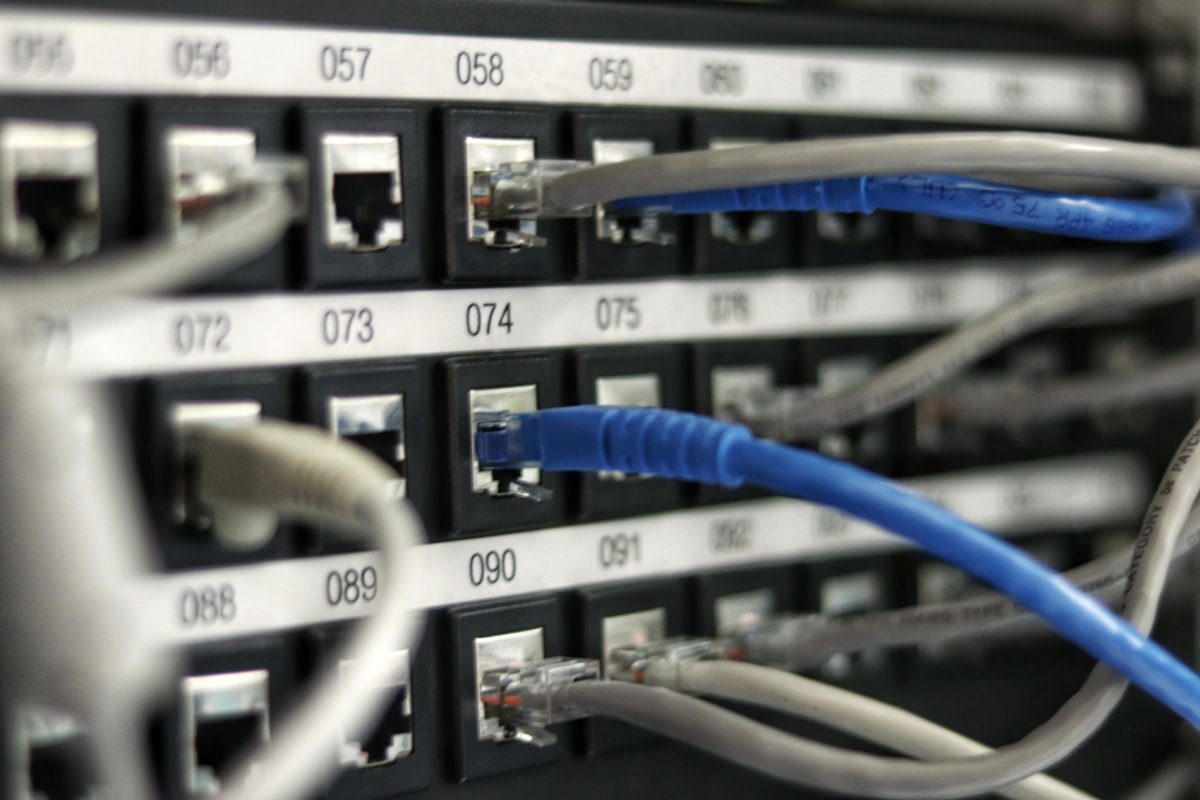
A pocket WiFi (also called a mobile WiFi router or MiFi) is a portable device that creates a personal WiFi hotspot using Japan’s cellular network. Multiple devices connect to it simultaneously over WiFi — phones, tablets, laptops, cameras — exactly like your home router, but carried in your pocket.
How Pocket WiFi Works
- Reserve a device online before departure (strongly recommended — airport walk-up availability can be limited during peak seasons)
- Pick up at the airport rental counter on arrival (Narita T1/T2/T3 and Haneda T3 all have multiple rental providers)
- Power on the device — it connects to the Japanese network automatically
- Connect your phone, tablet, and any other devices to its WiFi network
- Return the device in the provided prepaid envelope at the airport on departure
Costs
Pocket WiFi rental runs approximately ¥500–900 per day depending on the provider and plan. For a 10-day trip: ¥5,000–9,000 total. For a group of three splitting the cost, that’s ¥1,700–3,000 per person for the entire trip — significantly cheaper per head than three individual eSIMs. Popular providers include GlobalWiFi, WiFiBOX, IIJmio, and PuPuRu. Most offer unlimited data plans, though some throttle speeds after a daily threshold.
The Hidden Cost: The Replacement Fee
⚠️ Heads Up: Losing or significantly damaging a pocket WiFi device typically incurs a replacement fee of ¥20,000–40,000 (approximately $135–270 USD). Some providers offer optional insurance for ¥200–300 per day that covers accidental damage. If you’re traveling with children, doing outdoor activities, or simply tend to misplace things, the insurance is worth it. Always keep the device in the same dedicated pocket or bag compartment every single day.
Pocket WiFi Pros & Cons
| Pros | Cons |
|---|---|
| ✅ Connect multiple devices simultaneously | ❌ Extra device to charge (battery lasts 8–12 hours) |
| ✅ Works for any phone — no eSIM required | ❌ Must pick up and return at airport counter |
| ✅ Cost-effective for groups of 3+ | ❌ Heavy replacement fee if lost/damaged |
| ✅ Laptops and tablets connect too | ❌ Shared bandwidth — slower with many devices |
| ✅ Usually unlimited data available | ❌ Group connectivity fails if one person has device |
Best for: Families, friend groups of 3 or more, travelers with older phones that don’t support eSIM, digital nomads needing laptop connectivity, anyone doing multi-device work travel.
4. Option 3: Physical Prepaid SIM Card
Physical SIM cards were the standard tourist connectivity solution in Japan for years, and they remain a valid option in specific situations — but for most travelers with modern phones, eSIM has largely superseded them.
How to Get a Physical SIM in Japan
Under Japanese telecommunications law, all SIM card activations require identity verification. For tourists, this means presenting your passport. You have three main purchase channels:
- Airport counters (Narita, Haneda, Kansai, Chubu): Multiple providers operate staffed booths in arrival halls. Staff speak English. Activation takes 5–10 minutes. Most expensive option but most convenient if you haven’t planned ahead.
- Electronics retailers (Yodobashi Camera, Bic Camera): Wide selection of plans, competitive pricing, English-capable staff at major branches. Available in any large city.
- Vending machines (select airports): Some airports have SIM card vending machines that use a passport scanner for identity verification. Fast but limited plan selection.
- Pre-order online for delivery: Several providers (IIJmio, mineo, Mobal) offer tourist SIM cards shipped internationally or to your Japan hotel. This is the most cost-effective route if you plan ahead — plans can be 30–50% cheaper than airport counter prices.
Popular Tourist SIM Providers in Japan 2026
- IIJmio Tourist SIM: Docomo network, 15GB for ¥3,300 (30 days). Strong rural coverage. Available at airports and Bic Camera.
- OCN Mobile One Tourist SIM: NTT Docomo network, reliable urban and rural performance. Available at major airports.
- Mobal Japan SIM: The only tourist SIM that includes a Japanese phone number — critical if you need to make local calls or register for apps that require SMS verification. Ships internationally before departure.
- SAKURA Mobile: IIJ network (Docomo roaming), popular with long-stay travelers, multiple plan durations, online application available.
⚠️ Heads Up: Most Japanese tourist SIM cards are data-only. You won’t receive a Japanese phone number, which means you can’t make local calls or receive SMS verification codes for apps like PayPay that require a Japanese phone number for full registration. If this matters for your trip, Mobal’s voice SIM is the specific product to look at.
Physical SIM Pros & Cons
| Pros | Cons |
|---|---|
| ✅ Works on any unlocked phone | ❌ More expensive than eSIM for equivalent data |
| ✅ Available if you forgot to arrange eSIM | ❌ Must physically swap SIM on arrival |
| ✅ Mobal option includes phone number | ❌ Risk of losing tiny SIM card |
| ✅ Pre-order options available | ❌ No setup possible before boarding |
Best for: Travelers whose phones don’t support eSIM, anyone who needs a Japanese phone number (Mobal), or as a fallback for travelers who didn’t arrange connectivity before departure.
5. Option 4: Japan’s Free Public WiFi — Supplement, Not Solution

Japan’s free WiFi infrastructure is more extensive than most travelers expect — and less reliable than most travelers hope. Here is an accurate picture of what you’ll find and where.
Where Free WiFi Exists in Japan
- International airports: Excellent coverage at Narita, Haneda, Kansai, and Chubu. Fast, stable, no time limits at Narita and Haneda. Good for initial setup tasks on arrival.
- Train stations (JR East): “JR-EAST_FREE_Wi-Fi” available at all JR East stations in the Tokyo metro area. Requires email registration, sessions run 3 hours (renewable). Speeds 10–30 Mbps.
- Tokyo Metro stations: “Metro_Free_Wi-Fi” at all Tokyo Metro stations. Similar registration process to JR East WiFi.
- Shinkansen trains: Free WiFi on all Nozomi, Hikari, and Kodama services on the Tokaido Shinkansen (Tokyo–Osaka). Slower than your phone data (5–15 Mbps) but adequate for messaging and light browsing on a long journey.
- Convenience stores: 7-Eleven, Lawson, and FamilyMart all offer free WiFi. Sessions typically 20–30 minutes per connect. Useful for a quick map check or message while grabbing food.
- Major tourist attractions: The “Japan Free Wi-Fi” initiative has hotspots at government buildings, tourist information centers, and many popular sightseeing spots. Look for the standardized blue and white sticker.
- Hotels: Virtually all accommodation in Japan offers free room WiFi. Capsule hotels, business hotels, ryokan — WiFi is standard across all price points.
The Reality of Free WiFi in Japan
Free WiFi is absolutely fine for: quick map checks at a train station, sending a message while at a convenience store, checking your email at your hotel in the evening.
Free WiFi frequently fails for: real-time navigation in unfamiliar neighborhoods, translation app use mid-restaurant, streaming anything, video calls, pulling up Klook QR tickets when you’re at an attraction gate.
The core problem is timing: free WiFi is unavailable precisely when you need connectivity most — walking between subway stations, standing at a ticketing gate, trying to translate a menu in a restaurant that doesn’t have its own WiFi. These are mobile-data moments, not fixed-WiFi moments.
Free WiFi Security Warning
⚠️ Heads Up: Public WiFi networks — at stations, cafes, and tourist hotspots — transmit your data unencrypted. For general browsing and messaging this is an acceptable risk. For anything sensitive (online banking, logging into accounts with real passwords, work VPNs), use your cellular data connection instead, or use a VPN over the public WiFi. NordVPN and ExpressVPN both have Japan server clusters and minimal speed impact for day-to-day use.
Verdict: Free WiFi is a useful supplement and excellent for hotel evenings — but it cannot replace a personal data connection as your primary connectivity in Japan. Do not arrive expecting to manage on free WiFi alone.
6. Head-to-Head Comparison Table
| Factor | eSIM | Pocket WiFi | Physical SIM | Free WiFi |
|---|---|---|---|---|
| Setup | Before departure at home | Airport counter on arrival | Airport counter or pre-order | No setup (or email reg) |
| Cost (10 days solo) | ~$15–25 USD | ~¥6,000–9,000 | ~¥2,500–4,000 | Free |
| Cost (10 days group of 3) | ~$45–75 USD (×3) | ~¥6,000–9,000 (÷3) | ~¥7,500–12,000 (×3) | Free |
| Data speed | 50–100 Mbps (4G/5G) | 50–100 Mbps (shared) | 50–100 Mbps | 5–30 Mbps (variable) |
| Reliability | Excellent | Excellent | Excellent | Inconsistent |
| Rural coverage | Excellent (Docomo) | Good–Excellent | Good (provider-dependent) | Poor |
| Devices supported | 1 (your phone) | Up to 10 simultaneously | 1 (your phone) | Any WiFi device |
| Phone number | No (data only) | No (data only) | No (most) / Yes (Mobal) | N/A |
| Extra hardware | None | Device + charger to carry | Physical card | None |
| Risk | Low | Loss/damage fee (¥20k–40k) | Losing SIM card | Security risk on open networks |
| Best for | Solo / couples, modern phones | Groups, older phones, laptops | Old phones, need JP number | Supplement only |
7. Best Option by Traveler Type
Still not sure which option is right for you? Here’s our direct recommendation for every common traveler situation.
🧳 Solo Traveler — eSIM, No Question
You have a modern phone. You don’t need to share a connection. You want zero friction. Buy an Airalo Japan eSIM before you fly, install it at home, activate on landing. You’ll never think about connectivity again for the rest of the trip. Budget: ~$15–25 USD for 10–15GB / 15 days. [AFFILIATE LINK: Airalo]
👫 Couple (2 people) — eSIM Per Person or Pocket WiFi
If both phones are eSIM-compatible: two individual eSIMs ($30–50 USD total) is cheaper than pocket WiFi and gives each person independent connectivity. If one phone isn’t eSIM-compatible, or if you also have a tablet you want connected: pocket WiFi starts to make more sense.
👨👩👧👦 Family or Group of 3+ — Pocket WiFi
The math is simple: one pocket WiFi at ¥600/day ÷ 3 people = ¥200/person/day. That’s significantly cheaper than three individual eSIMs or SIM cards. One device, everyone connected, no individual setup required. Reserve before departure — don’t rely on airport walk-up availability. The main operational discipline: whoever has the pocket WiFi device charges it every night without fail.
💻 Digital Nomad / Remote Worker
eSIM for your phone + tethering for your laptop, OR pocket WiFi if you need reliable bandwidth for video calls simultaneously on multiple devices. If you’re staying 30+ days, consider a proper MVNO plan (IIJmio, Rakuten Mobile) rather than tourist-tier connectivity — these are cheaper at longer durations and offer more stable service.
🗾 Rural Japan Traveler
Prioritize Docomo network coverage. Docomo has by far the best rural penetration in Japan — mountain huts, small onsen towns, Shikoku’s 88-temple pilgrimage route, deep Tohoku — Docomo connects where other carriers don’t. Choose a Docomo-network eSIM (Airalo’s Japan plans specify the carrier) or a SoftBank-backed pocket WiFi with Docomo fallback. [AFFILIATE LINK: Airalo]
📸 Content Creator / Photographer
Unlimited plan, non-negotiable. Uploading a day’s worth of RAW photos or 4K footage can hit 5–10GB. A throttled “unlimited” plan that drops to 1 Mbps after 3GB will make your editing and upload workflow genuinely painful. Look specifically for plans that state “no speed throttling” or have a high daily threshold (10GB+) before any speed reduction kicks in.
🚨 Traveler Who Forgot to Arrange Anything
You’re at the airport. Go to the airport rental counter (Narita, Haneda: multiple providers on both arrival floors) and rent a pocket WiFi on the spot. It’ll cost more than pre-booking, but you’ll be connected within 15 minutes. For Narita: JAL ABC, PuPuRu, and Global WiFi all have counters. For Haneda: similar lineup at T3 International.
8. Step-by-Step eSIM Setup Guide for Japan
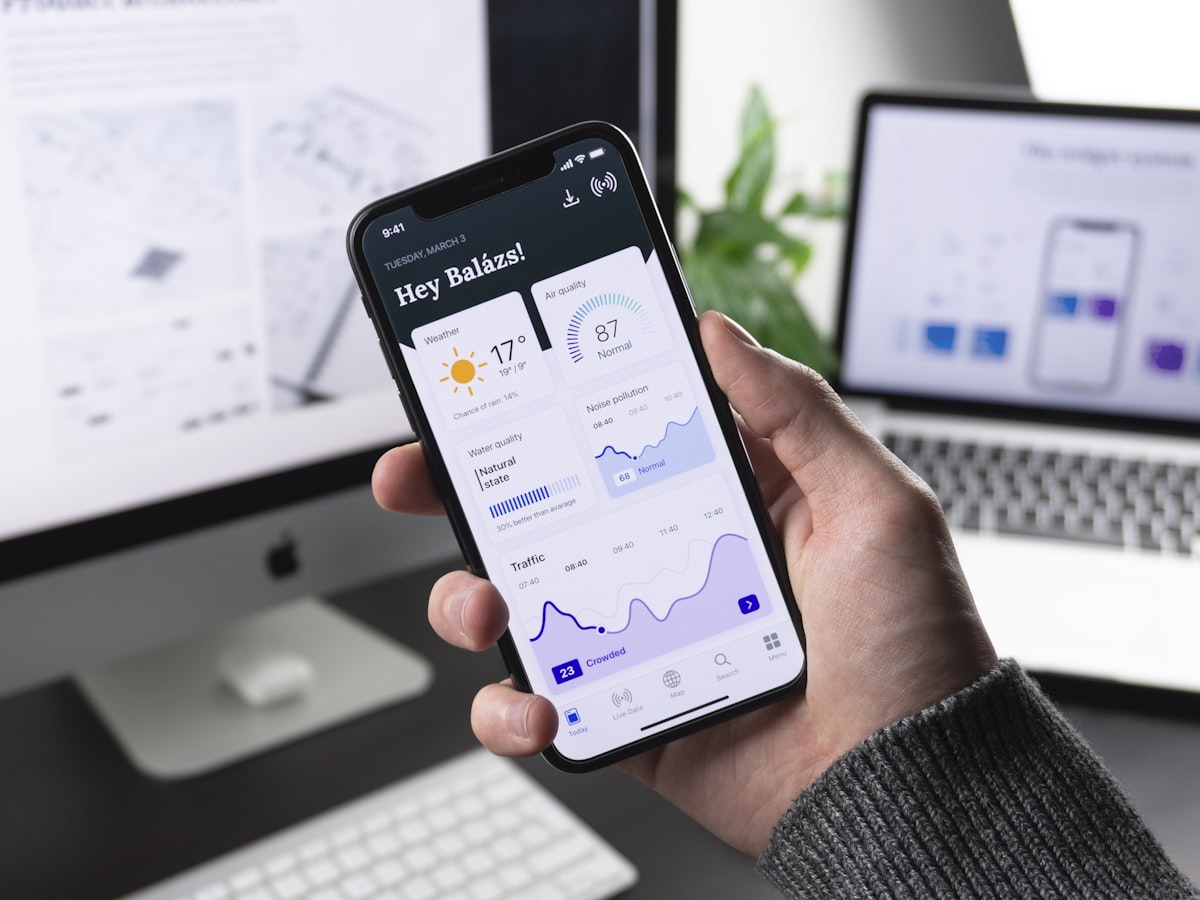
Since eSIM is our top recommendation for most travelers, here is the complete installation walkthrough — for both iPhone and Android.
iPhone Setup (iOS 16+)
- Purchase your plan: Buy on Airalo (app or website). You’ll receive a QR code by email and in the app. [AFFILIATE LINK: Airalo]
- Open Settings → Cellular → Add Cellular Plan
- Tap “Use QR Code” and scan the QR code from Airalo
- Label the plan: When prompted for a label, choose “Japan” or “Travel” — this appears in your settings so you know which line is which
- Set as Secondary line: Keep your home SIM as Primary (for calls/texts at home); Japan eSIM as Secondary
- Turn off “Default Line” switching: Go to Cellular → Default Voice Line → Select your home SIM. This prevents accidental charges on your home carrier
- On landing in Japan: Go to Cellular → Japan eSIM → turn on “Turn On This Line.” Within 30 seconds you’ll see a Japanese carrier name in your status bar
Android Setup (varies by manufacturer)
- Purchase plan on Airalo and receive QR code [AFFILIATE LINK: Airalo]
- Open Settings → Network & Internet → SIM cards (or Mobile network)
- Tap “+” or “Add SIM” → “Download a SIM instead?”
- Scan the QR code from Airalo
- Follow on-screen prompts to complete installation
- Set data preference: Under SIM settings, set Japan eSIM as the preferred data SIM
- On landing: Enable the Japan eSIM line in Settings → SIM cards
💡 Pro Tip: Do the entire installation process at home, not at the airport. If anything goes wrong (QR code error, profile installation failure, carrier activation delay), you have time to contact Airalo support and resolve it before your trip. Installing at the airport with no connectivity is significantly more stressful.
Troubleshooting Common Issues
- “QR code already used” error: Each QR code can only be scanned once. If you reset your phone or deleted the eSIM profile, contact the provider for a new QR code — they’ll usually issue one free of charge.
- No signal after activation: Try turning Airplane Mode on and off. If still no signal, go to Settings → Cellular → Japan eSIM → Network Selection → choose manual and select a Japanese carrier.
- eSIM not showing in settings: Confirm your phone isn’t carrier-locked. Contact your home carrier to unlock if needed — this is free in most countries for phones you own outright.
- Data working but very slow: Check your APN settings. Airalo provides APN configuration in their app if needed. Some plans require manual APN entry on first activation.
9. Best eSIM Providers for Japan 2026
Not all Japan eSIM plans are equal. Here’s our breakdown of the top providers for 2026.
🥇 Airalo — Best Overall
Our #1 Pick
Airalo is the world’s largest eSIM marketplace, offering multiple Japan plans from different carriers in one place. The ability to compare plans side-by-side, the clean English-language app, and the 24/7 support chat make it the most friction-free experience for first-time eSIM users. Plans run on Docomo, NTT, and other major Japanese carriers. Pricing starts around $15 for 10GB / 15 days. The Airalo app also shows your remaining data balance in real time, which is genuinely useful mid-trip. [AFFILIATE LINK: Airalo]
🥈 Nomad — Best for Unlimited
Nomad offers Japan unlimited plans without aggressive throttling — a strong choice for heavy data users and content creators. The app is clean, the setup process is straightforward, and their support is responsive. Slightly more expensive than Airalo for equivalent plans, but the unlimited offering is more reliable in our experience.
🥉 Ubigi — Best for Multi-Country Trips
If your Japan trip is part of a larger Asia itinerary — Japan + South Korea, or Japan + Taiwan + Thailand — Ubigi’s regional Asia plans offer seamless connectivity across multiple countries on a single plan. Slightly more complex setup than Airalo, but the flexibility is excellent for multi-destination travel.
Holafly — Best for Truly Unlimited
Holafly’s Japan plans offer unlimited data with no throttling claims — though real-world speed tests in Japan show variable performance. A reasonable option if you want peace of mind on data limits, but verify current network performance before purchasing as this can change.
💡 Pro Tip: Before purchasing any eSIM plan, check whether the provider’s support is available in English and has a clear process for resending QR codes (you’ll need this if you reset your phone or buy a new device). This one feature separates reliable providers from frustrating ones. [AFFILIATE LINK: Airalo]
10. Connectivity FAQ
Can I use my home carrier’s international roaming plan in Japan?
Technically yes — but it’s almost never the right choice financially. International roaming plans from US, European, and Australian carriers range from $5–15 per day for Japan, which for a 10-day trip means $50–150 USD for the same data you’d get from a Japan eSIM for $15–25 USD. The only exception: some specific unlimited international plans (T-Mobile Magenta Max, for example) include Japan at no extra charge. Check your plan’s Japan-specific terms before departing — and if roaming is included free, still check the speed (international roaming is often throttled to 128kbps–1Mbps, which is too slow for navigation).
Can I make phone calls with a Japan eSIM?
Japan tourist eSIMs are data-only. No outgoing calls, no incoming calls, no SMS. For voice communication, use WhatsApp, FaceTime, LINE, or Skype over data — which is what the vast majority of travelers do anyway. If you specifically need to make calls to Japanese landlines (booking restaurants, calling venues), LINE Out and Skype both offer pay-per-minute calling to Japanese numbers at very low rates.
Does my phone need to be unlocked to use a Japan eSIM?
For eSIM: most eSIM-capable phones are unlocked by default, but some carrier-branded phones (AT&T, Verizon, EE, etc.) may be locked. Contact your carrier to unlock — it’s typically free if you’ve owned the phone for 60–90 days and your account is in good standing. For physical SIMs: yes, your phone must be unlocked.
What if I run out of data?
For most eSIM providers including Airalo, you can purchase an additional data top-up directly in the app without buying a whole new plan. Keep the Airalo app installed during your trip for exactly this scenario. For pocket WiFi, your plan is usually already unlimited — check with your provider about any throttle thresholds.
Will my eSIM work on the Shinkansen?
Yes — the Shinkansen runs above ground through most of its network, and Japan’s 4G/5G coverage along Shinkansen routes is excellent. You’ll have full data connectivity on most Bullet Train journeys. Tunnels do cause brief signal drops, but these last seconds rather than minutes. The Shinkansen also has its own free WiFi onboard most services.
Do convenience stores have free WiFi?
Yes — 7-Eleven, Lawson, and FamilyMart all offer free WiFi. Sessions run 20–30 minutes per connect. It’s useful for a quick message or map check while you’re there, but too time-limited and patchy to rely on as a navigation tool while walking between stores.
Can I use a Japan eSIM if I already have an eSIM on my phone?
Modern iPhones and Android flagships support dual eSIM (two eSIM profiles simultaneously). iPhone 14 and later (US models) are eSIM-only with no physical SIM slot, supporting up to 8 stored eSIMs with 2 active at once. This means you can keep your home carrier’s eSIM active (for calls and texts in your home country) while the Japan eSIM handles data in Japan.
11. Pre-Departure Connectivity Checklist
Complete every item before you board. Ten minutes of prep eliminates hours of potential frustration.
If You Chose eSIM:
- ☐ Confirm your phone model supports eSIM (Settings → General → About → Available SIM)
- ☐ Confirm your phone is carrier-unlocked (call your carrier if unsure)
- ☐ Purchase Japan eSIM plan on Airalo — select Docomo network for best rural coverage [AFFILIATE LINK: Airalo]
- ☐ Install the eSIM profile at home (scan QR code, follow setup steps)
- ☐ Label the plan “Japan” in your phone settings
- ☐ Set your home SIM as default voice line to prevent accidental charges
- ☐ Leave Japan eSIM in “off” mode until landing
- ☐ Download Google Maps offline: Tokyo, Kyoto, Osaka + any other regions
- ☐ Download Google Translate Japanese offline language pack
If You Chose Pocket WiFi:
- ☐ Compare providers: GlobalWiFi, WiFiBOX, PuPuRu, IIJmio
- ☐ Reserve online before departure — do not rely on airport walk-up availability
- ☐ Confirm airport pickup counter location and hours
- ☐ Check cancellation and replacement fee policy
- ☐ Consider insurance add-on (¥200–300/day) for peace of mind
- ☐ Pack a portable battery — pocket WiFi battery life is 8–12 hours max
- ☐ Download Google Maps offline before departure (use home WiFi)
If You Chose Physical SIM:
- ☐ Confirm your phone is unlocked
- ☐ Pre-order SIM online (cheaper than airport price) OR identify airport counter
- ☐ Bring your passport for identity verification on activation
- ☐ Keep SIM ejector tool accessible in carry-on
- ☐ Download Google Maps offline on home WiFi before swapping SIMs
Final Recommendation
The best connectivity option for Japan in 2026 is an eSIM — specifically an Airalo Japan plan on the Docomo network — for the overwhelming majority of travelers visiting Japan for the first time. It’s cheaper than roaming, simpler than pocket WiFi for solo and couple travelers, faster to set up than a physical SIM, and activates the moment you land without any stop at any counter.
The two-minute setup at home is genuinely all it takes. Your phone connects, Google Maps works, your Klook tickets load, Google Translate decodes every menu you point it at. Japan’s extraordinary transportation network, food scene, and cultural experiences deserve your full attention — not your frustration at the connectivity counter queue. Sort this before you fly. [AFFILIATE LINK: Airalo]
Related Articles
- 📱 Best Japan Travel Apps 2026 — Every app you need, organized by when to use it
- 💻 Japan Tech Guide 2026 — eSIM, cashless payments, Tourist Pasmo & more
- 🚆 How to Ride Trains in Japan — Complete beginner’s guide
- 💴 Japan Travel Budget 2026 — Real costs for first-time visitors
- 🎒 Japan Packing List 2026 — Everything you actually need

コメント